Windows 11
Windows 11 ISO Download: Enhanced performance, offering fast boot times.

Microsoft Windows
Safe & Secure
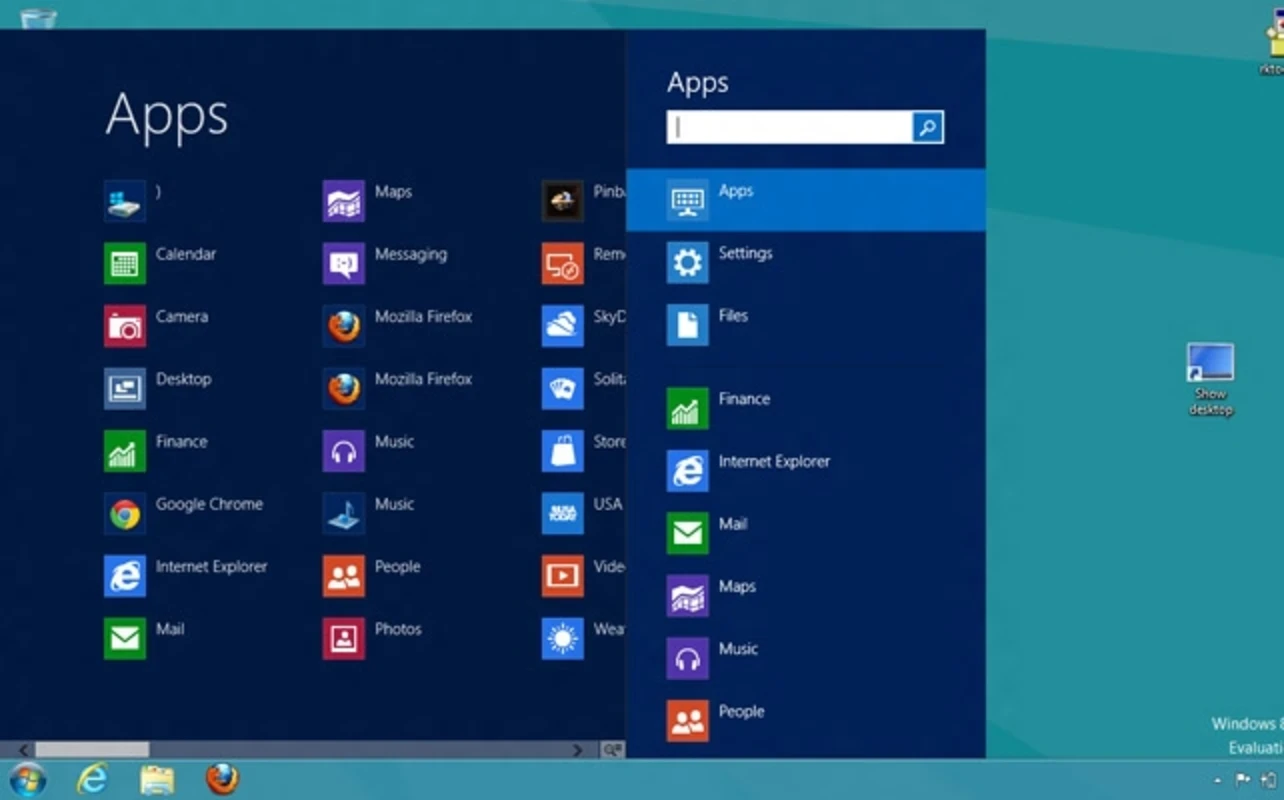
Windows 8.1 is a refined version of Windows 8 to offer the best combination of simplicity and balance for both desktop and touch computing. It is available in ISO format, allowing users to run it through a previous Windows version or use a pen drive to install it. This upgrade proves a radical transfer from traditional desktop to a modern tile-based interface.
The innovative app proves the exclusive utility to replace the drop-down Start menu with the entire screen. The company has introduced it as a general improvement for its latest operating system with the addition of multiple innovative functionalities, such as customization options, improved search options, the Microsoft Store, cloud integration, enhanced security, and so on.
Microsoft Windows is the most popular operating system across the world. Windows 8 was launched in 2012 by the big tech giant Microsoft, and after one year, it was updated to Windows 8.1, offering minor changes to Windows 8. So, it improves the user experience, and users can upgrade their Windows 8 to Windows 8.1 without paying any fees.
It offers a modern “Metro” design with improved system performance, security, and productivity, offering tablet-like navigation and a classic desktop environment. You will be able to sync your files to OneDrive cloud storage and access them from any device.
Microsoft has brought back to the Start button to the desktop, but with a little change, as you can go back to the last menu with a single click, and discover more traditional functionality while right-clicking on it. It also allows you to turn on/off the computer, and makes everything accessible, including programs, system settings, Device Manager, Task Manager, Control Panel, File Explorer, Search, and Run functions. On a touch screen computer, you can access the menu with a long press.
The app is equipped with more enhanced customization allows the users set background on the desktop and Start screen, selecting same wallpaper from the library. Simply navigate to Charms menu, and select Personalize option from the Settings, changing the design and color. You will also capable of creating slideshow for playing on the lock screen of your device. You need to turn on the slideshow option from Open PC & Devices, selecting it from the Settings menu.
The innovative feature was available in Windows 8 and is now available in Windows 8.1 with multiple improvements, such as linking your family members and adding or removing devices as well. It is possible to set restrictions for downloaded files, and also other apps that are installed on your Windows 8. You can remotely manage everything and granularly control the computing activities of your child.
Compared to previous versions, the Lock screen is highly customizable, as it makes it possible to play slideshows instead of still images. You can create slideshows using images from your PC, or import from SkyDrive. It also makes the device camera accessible by dragging the Lock down, similar to closing a Metro app. Moreover, it also introduces a new feature, “slide to shut down,” but only for new devices.
The innovative feature was not included in the RTM version; however, in later updates during the global availability date, it was added as part of Internet Explorer 11, as an alternative to popular services, including Readability or Evernote Clearly. When opening a website, the Reading View icon appears in the address bar. Simply click the icon, and enjoy quick reloading of the page in Internet Explorer without advertisements.
The app offers seamless integration with Bing, but with enhanced changes, as it offers built-in capability to query data using multiple sources, such as local files, installed apps, locally stored data, and SkyDrive, and even results from the Bing online search engine. If you want to be limited to local searches, simply click the “Everywhere” option at the top of the search box. You can enable the search option while pressing Windows + S on your keyboard.
It is also one of the latest features, introduced in Windows 8, offering different functions through each corner. The lower-right and upper-right corners are for the Charms menu, the lower-left is for the back button, and the upper-right corner is for the running apps window. Previously, users had to use third-party alternatives to disable this feature, but now a built-in option is available to disable the corners right from the operating system.
Pros
Cons

Windows 11 ISO Download: Enhanced performance, offering fast boot times.
The latest version of Windows 10 ISO File Download
The latest PRO/Ultimate version of Windows 7 ISO file Download

Kali Linux is a professional penetration testing and forensics toolkit that demands the complete integrity of your tool